MCA Track — funder admin walkthrough
MCA Track is the CRM and servicing platform funders use to track merchant cash advances from origination through payoff. This guide walks the funder admin view screen by screen: what each page is for, what the fields mean, and where each action lives. Screenshots come from a demo account, so merchant names and balances are illustrative.
For the concepts behind these screens — factor rates, syndication, ACH returns, the deal lifecycle — see the complete guide to merchant cash advance servicing software. Each section below links to the matching concept page.
On this page
How MCA Track is organized
There are two navigation systems. The strip across the top carries the twelve working areas. The footer carries thirteen administrative and reference pages. The home screen adds shortcut tiles for the eight areas most funders open daily, and the header holds a global search box whose dropdown arrow opens Advanced Search.

| Top navigation | What it opens |
|---|---|
| Dashboard | Portfolio performance at a glance |
| Underwriting | A toggle, not a page — switches your user into underwriting mode |
| Profile | Your funder organization’s own record |
| ISOs | The broker book |
| Syndicators | The investor book |
| Merchants | The merchant list |
| Advances | The Advances Report — every deal, sortable and filterable |
| ACH | ACH transactions for a vendor account |
| Cards | Credit card transactions |
| Alerts | Alerts that have fired |
| Reports | The reporting hub |
| Notifications | Your notification inbox |
The footer reaches Privacy Policy, Notifications, Users, Preferences, Roles, Investment Ledgers, Search, Terms and Conditions, Help, Security, Contact, Calendar and Events.
Concept guide New to MCA servicing? The complete guide to merchant cash advance servicing software explains the deal lifecycle these screens are built around.
Dashboard
The Funder Dashboard is three stacked bands. Because most funders participate in only part of each deal, figures are generally shown twice — the total, and your own percentage of it.
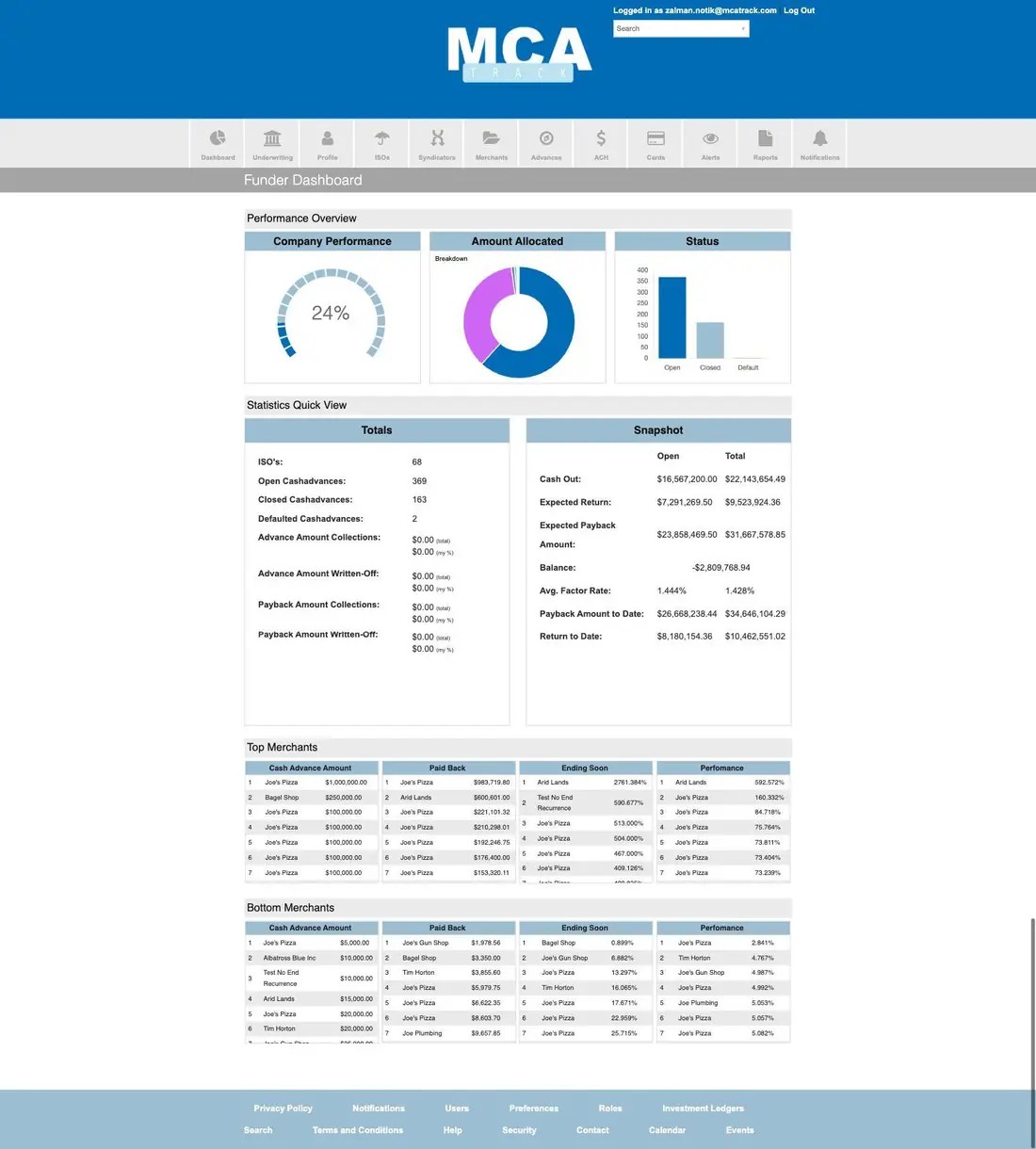
- Performance Overview — a Company Performance gauge showing the portfolio percentage paid, an Amount Allocated donut with its breakdown, and a Status bar chart counting Open, Closed and Default advances.
- Statistics Quick View, Totals — ISO count, open, closed and defaulted cashadvance counts, advance amount collections and write-offs, payback amount collections and write-offs.
- Statistics Quick View, Snapshot — Cash Out, Expected Return, Expected Payback Amount, Balance, average factor rate, Payback Amount to Date and Return to Date, split into Open and Total columns.
- Top Merchants and Bottom Merchants — four ranked lists each: cash advance amount, paid back, ending soon, and performance.
Concept guide The MCA portfolio dashboard: metrics that matter explains what each of these figures measures and which ones to act on.
Your organization
Account Profile
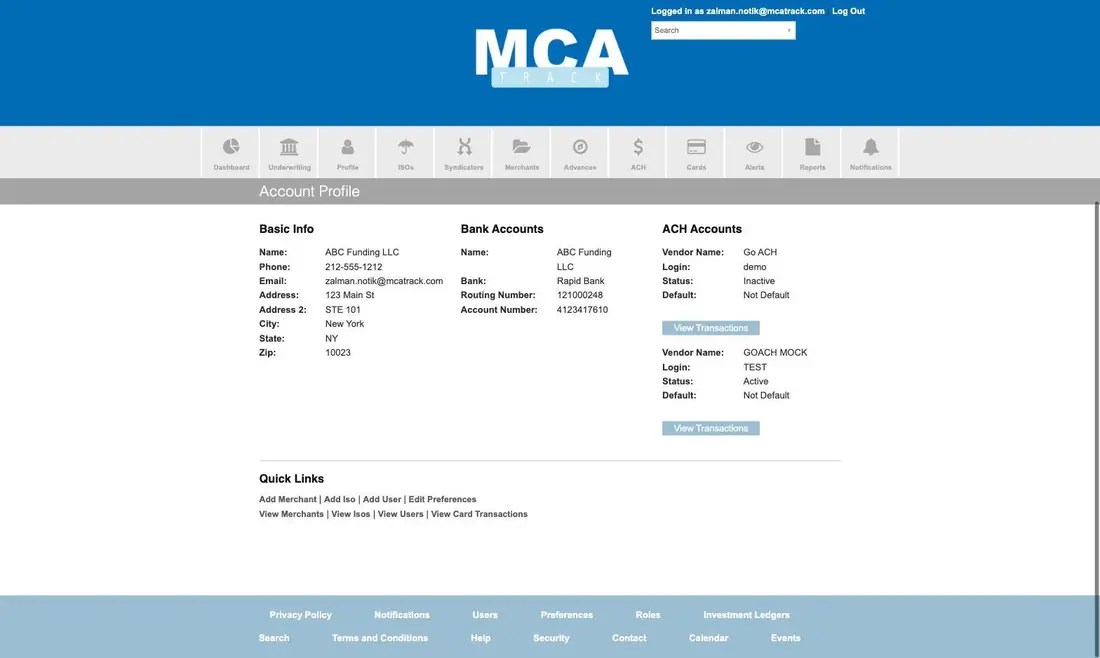
The funder’s own record. Basic Info holds name, phone, email and address. Bank Accounts holds the account money settles to. ACH Accounts lists each payment vendor wired up to the account with its login, status, default flag and a View Transactions button into that vendor’s ACH report. Quick Links at the foot create a merchant, ISO or user, or jump to the merchant, ISO, user and card transaction lists.
Users
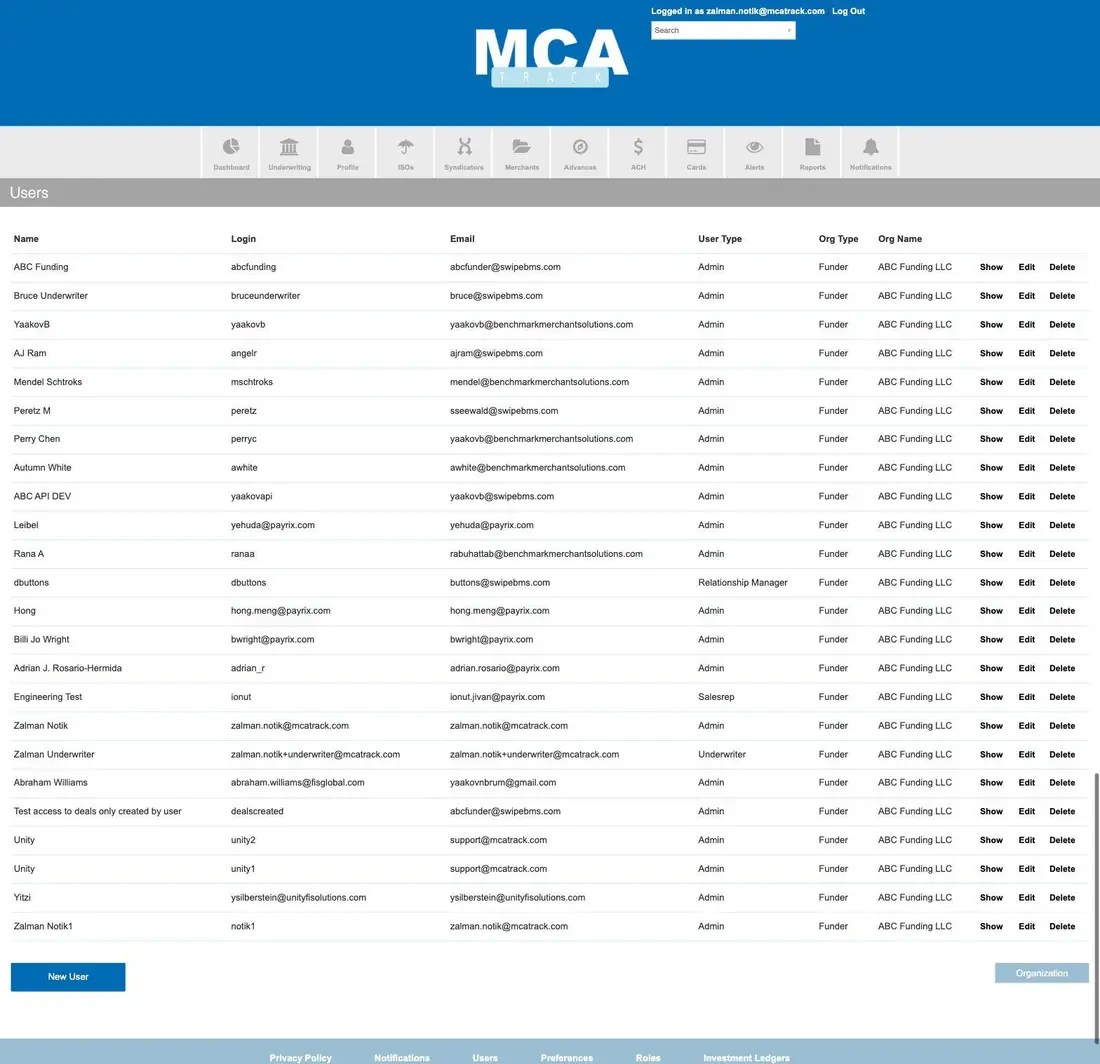
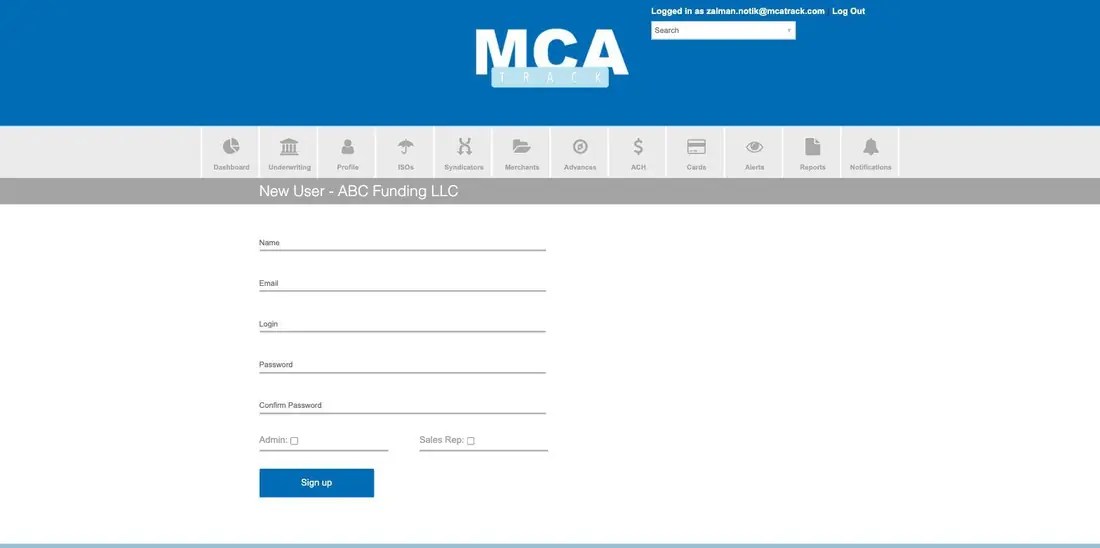
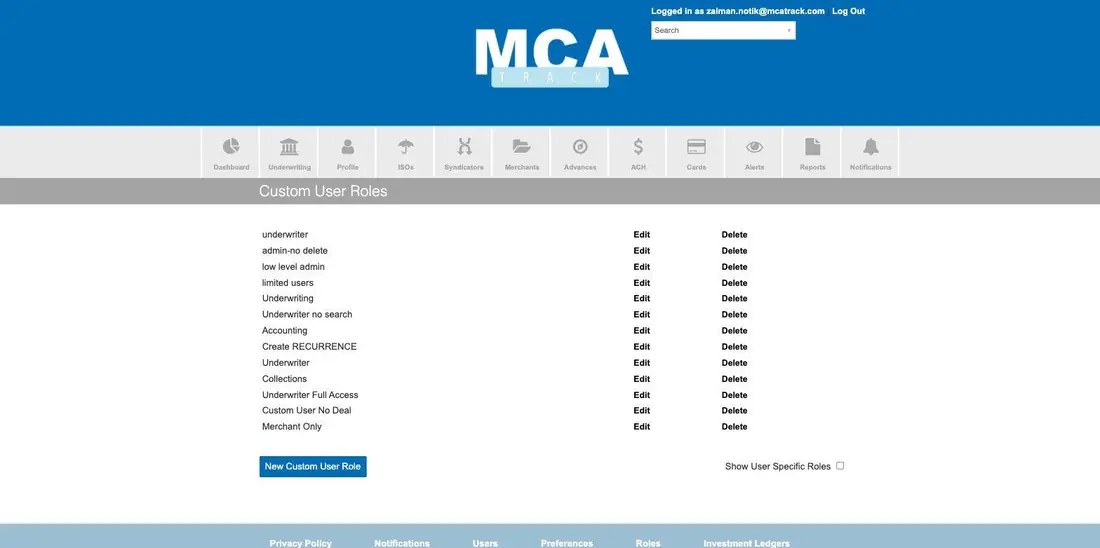
Every login attached to the funder organization, listed with name, login, email, user type, org type and org name. User types include Admin, Underwriter, Sales Rep and Relationship Manager. New User creates a login with Admin and Sales Rep flags; finer permissions come from a Custom User Role.
Custom User Roles
Named permission sets for when Admin, Underwriter or Sales Rep is too blunt an instrument — for example an accounting role, a collections role, an underwriter role without search, or an admin role that cannot delete.
Funder Preferences
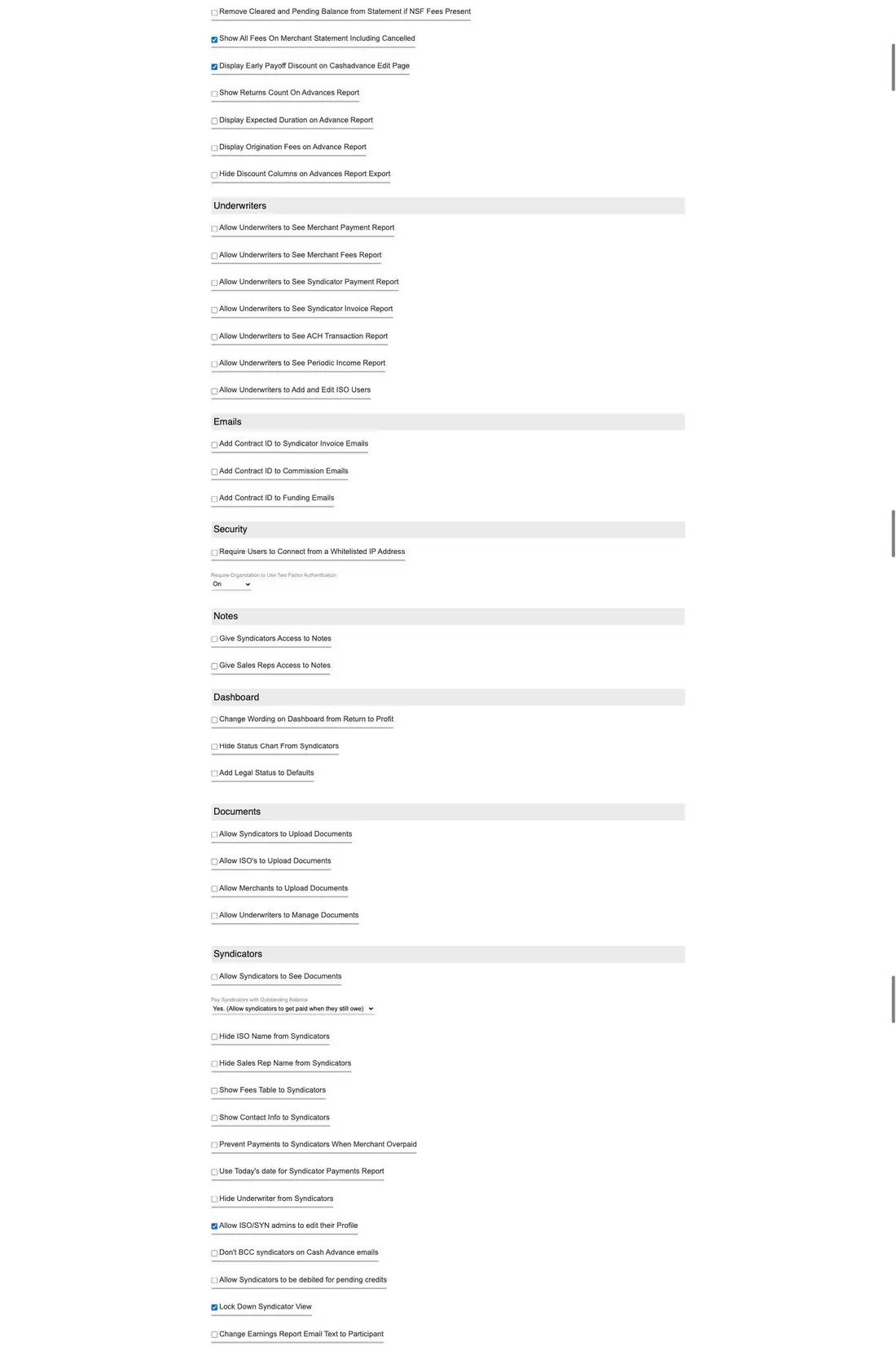
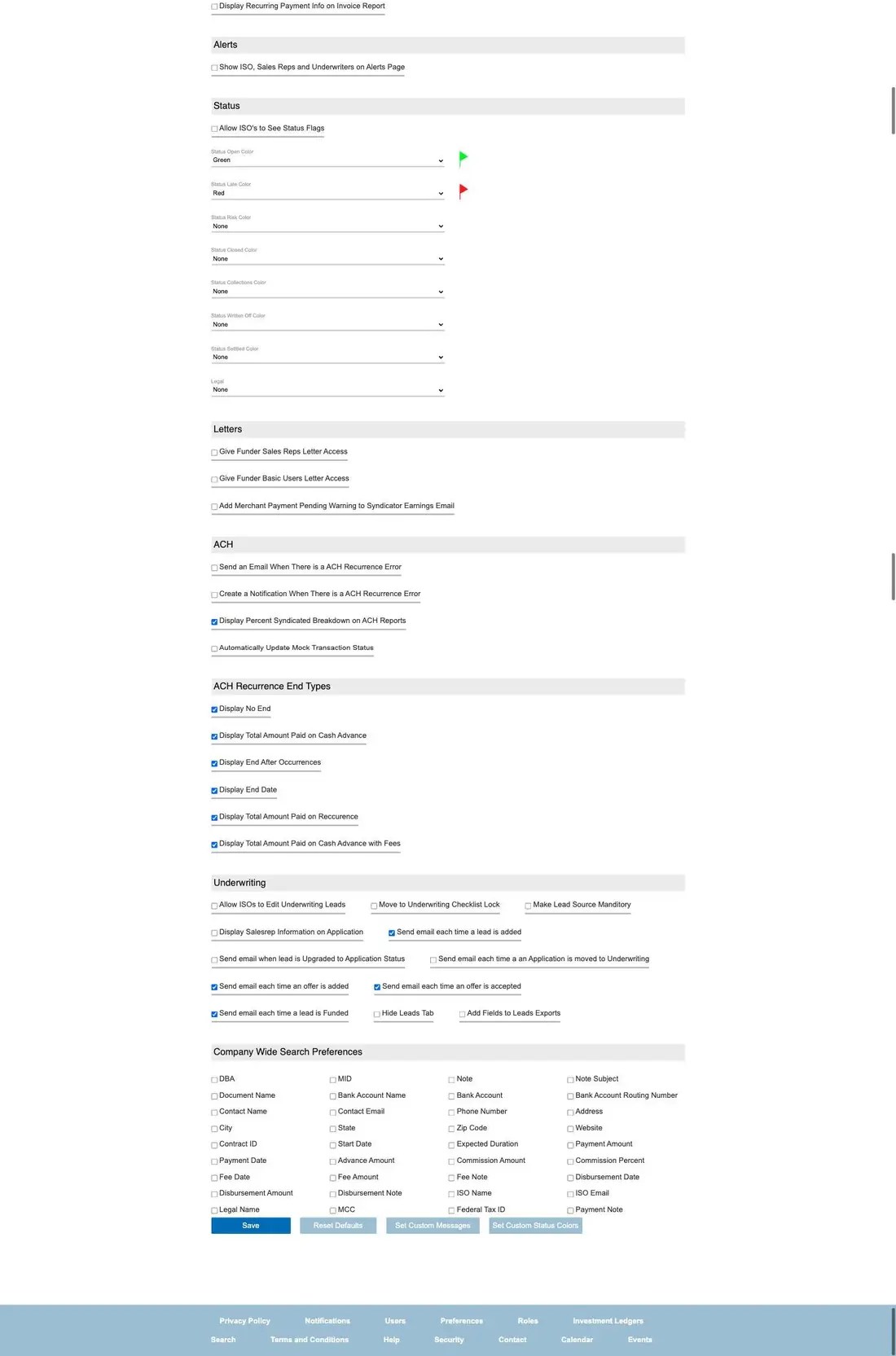
The account control panel, and the single most consequential screen in MCA Track: roughly 150 switches across seventeen sections. It decides fee defaults, what each counterparty can see, what appears on statements and exports, status colors, and which underwriting events send email. The full page is shown below in three parts.
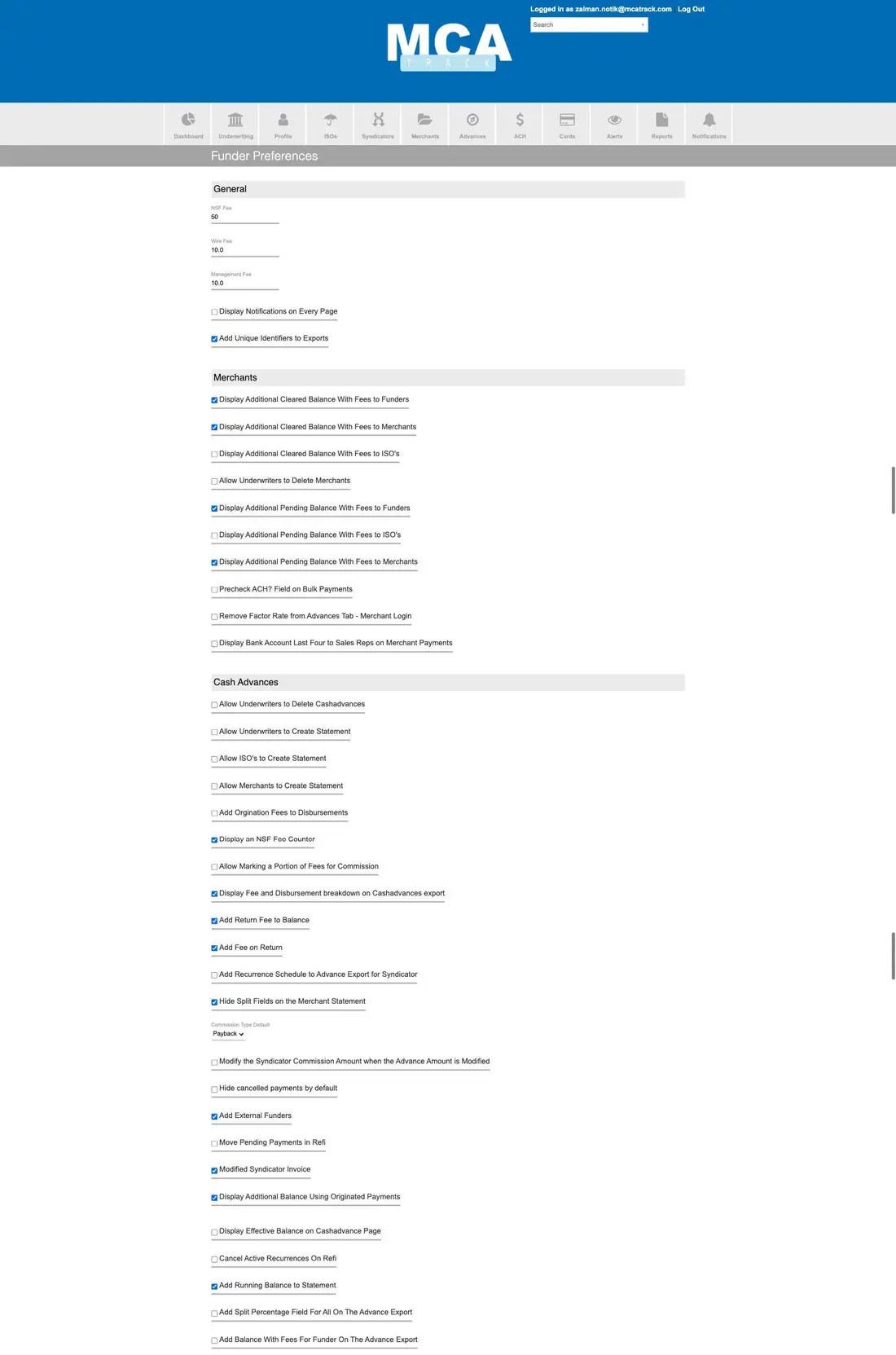
- General — NSF Fee, Wire Fee, Management Fee, whether notifications show on every page, and whether exports carry unique identifiers.
- Merchants — which balances, with or without fees, are shown to funders, ISOs and merchants; whether underwriters may delete merchants; whether the ACH field is prechecked on bulk payments.
- Cash Advances — who may create statements, how NSF fees and return fees are handled, commission type default, refi behavior, and what appears on advance exports.
- Underwriters — which reports underwriters can see, and whether they can add and edit ISO users.
- Emails — whether the Contract ID is added to syndicator invoice, commission and funding emails.
- Security — require a whitelisted IP address; require two-factor authentication organization-wide.
- Notes — whether syndicators and sales reps can read notes.
- Dashboard — wording, and which charts syndicators see.
- Documents — who may upload, and whether underwriters may manage documents.
- Syndicators — what investors can see, whether they can be paid while carrying a balance, and how their earnings email reads.
- Alerts — whether ISOs, sales reps and underwriters appear on the alerts page.
- Status — the color assigned to Open, Late, Risk, Closed, Collections, Written Off, Settled and Legal, which drives the pills you see on the merchant and advance lists.
- Letters — who has letter access.
- ACH — email and notification behavior on recurrence errors, and syndicated breakdown on ACH reports.
- ACH Recurrence End Types — which end conditions users may choose when scheduling.
- Underwriting — lead editing, checklist locks, and which lead events send email.
- Company Wide Search Preferences — which of about thirty fields the header search box looks at.
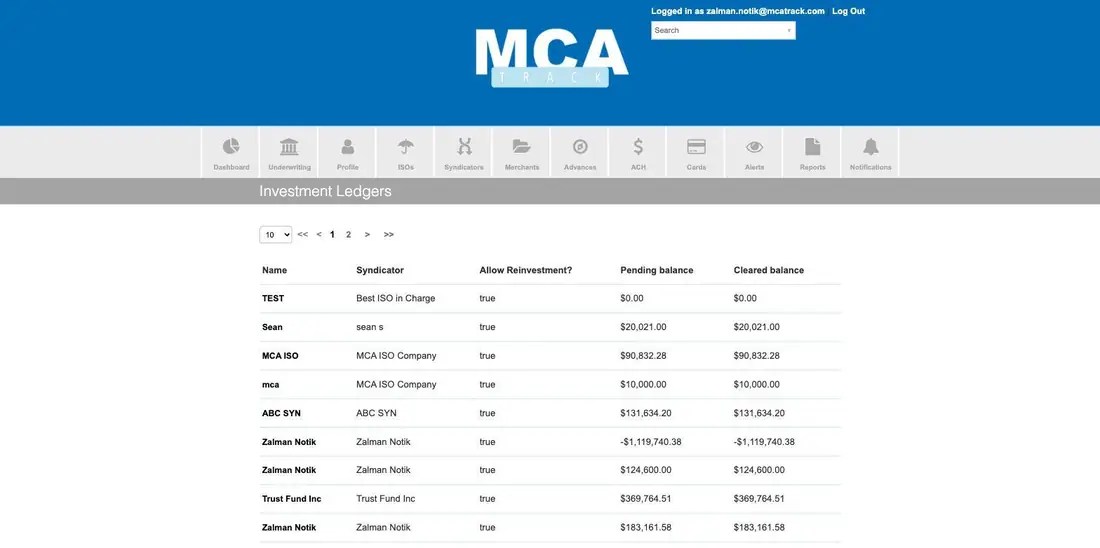
Investment Ledgers
Balances held per investor ledger, showing the syndicator, whether reinvestment is allowed, and the pending and cleared balances.
Concept guides User roles and permissions explains who can see what and why, and documents and security covers the protections behind these settings.
ISOs and syndicators
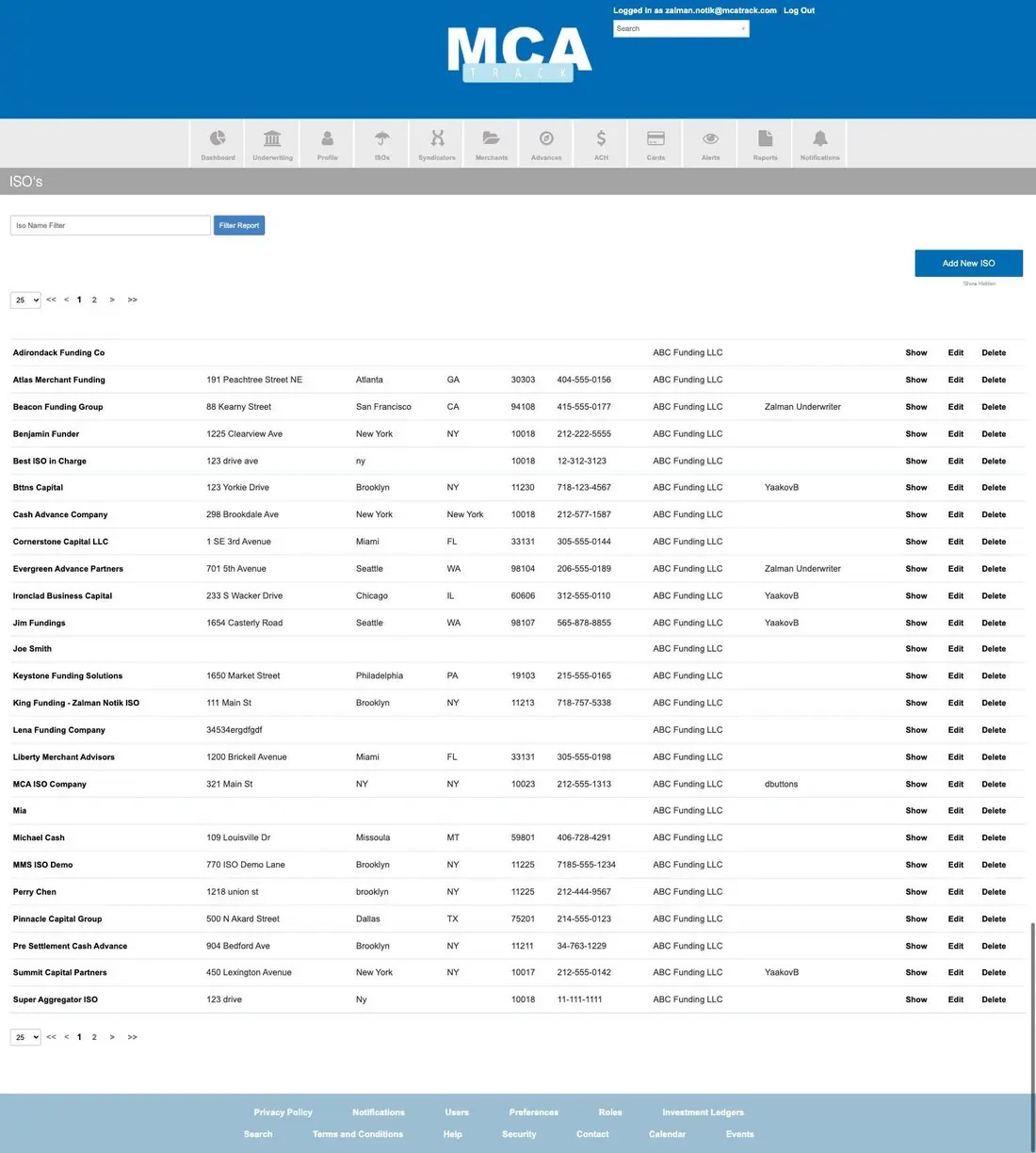
ISOs
Every broker on the account, with address, phone, funder and relationship manager, filtered by name and with a Show Hidden toggle.
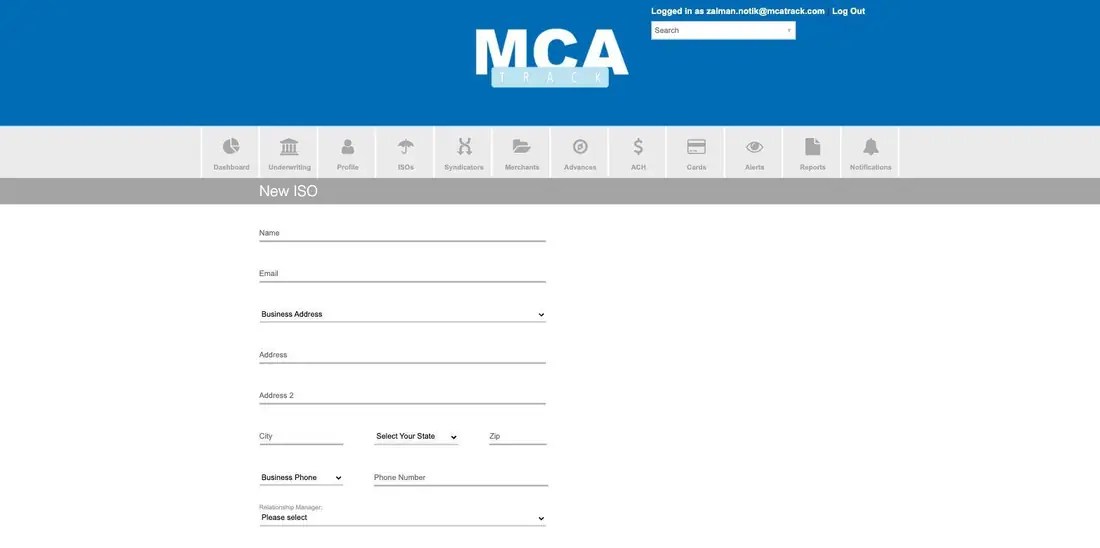
An ISO record carries contact details, a note and a preferred payment schedule, and links straight to adding a merchant, adding a user, creating a bank account, editing preferences, or viewing that ISO’s merchants and users. Every record keeps created and updated timestamps with an audit log.

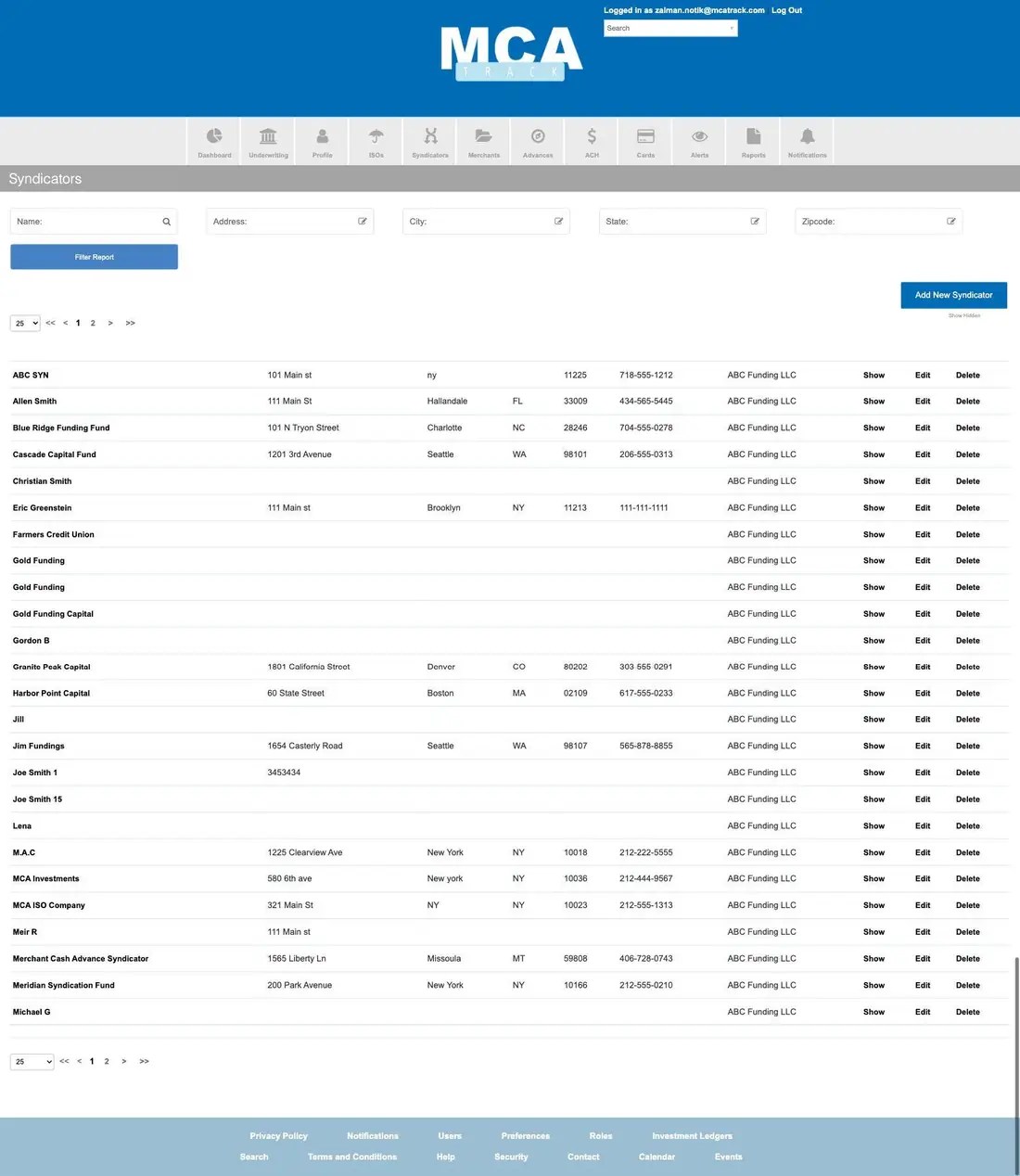
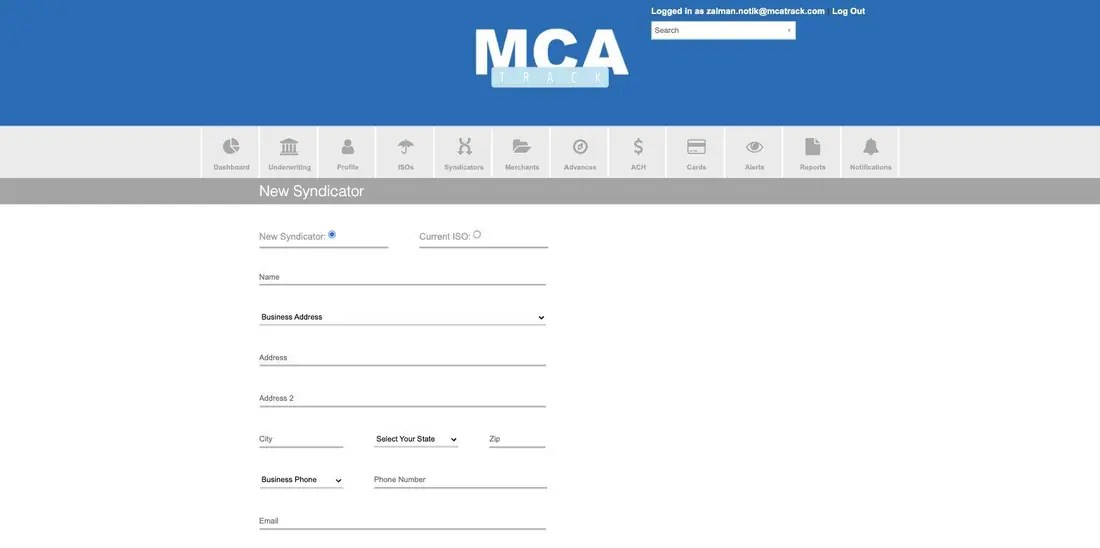
Syndicators
The investor book, filtered by name, address, city, state and zip. Syndicator records are stored on the same underlying model as ISOs, so a syndicator’s detail page opens as an ISO URL with an organization parameter.
The syndicator record adds an ACH Account block — bank name, business and checking flags, routing and account numbers, active status — with View Transactions and Edit.

Concept guide MCA syndication: managing and paying syndicators explains participation shares, management fees and how payouts are calculated.
Merchants and the advance record
The Merchants list
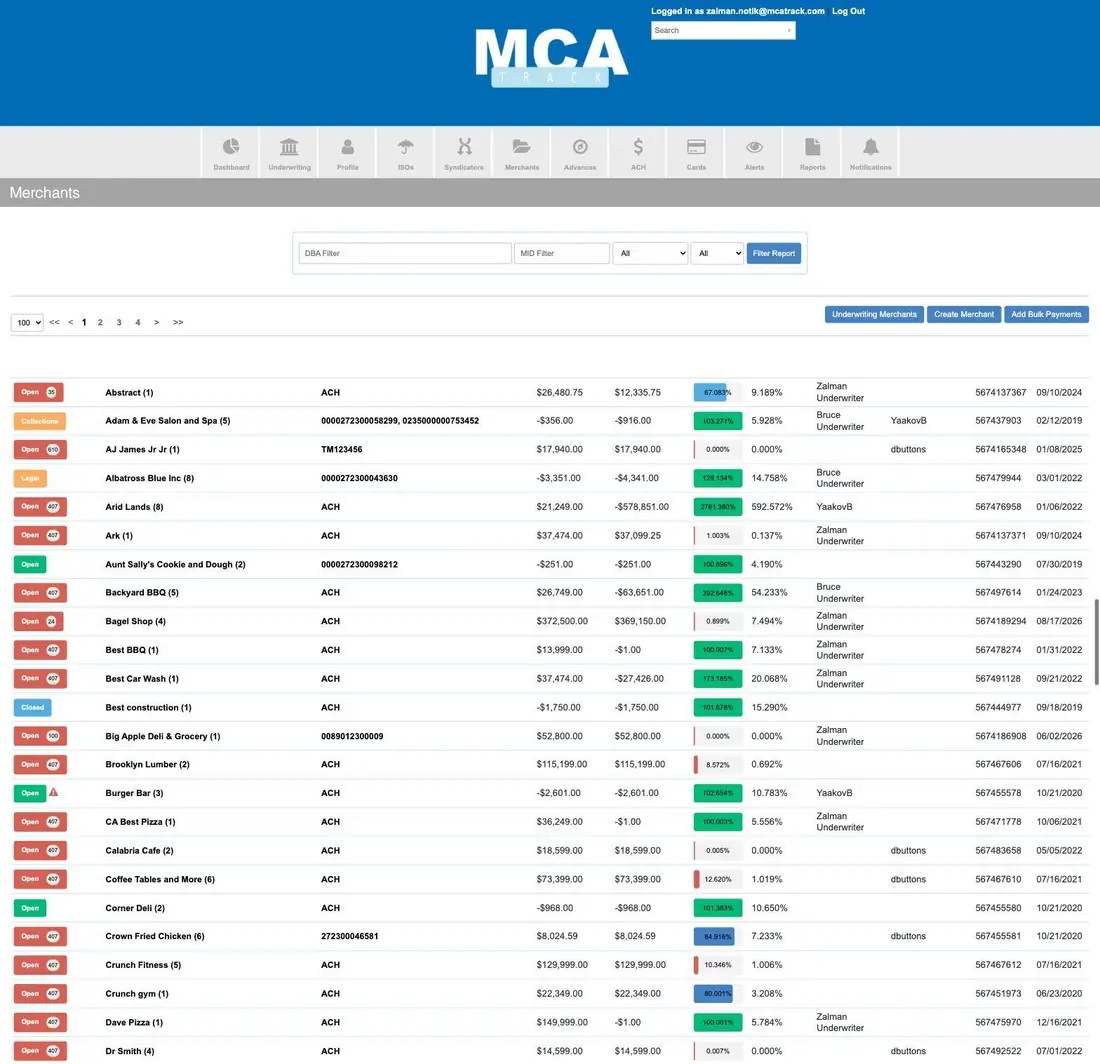
Each row is a merchant with its advance count in parentheses, a status pill carrying a badge for days since the last valid payment, the MID or the word ACH, the balance and cleared balance, a percentage-paid chip, performance, underwriter, relationship manager, contract number and start date.
The merchant record
One screen carries the whole deal. Opening an advance directly renders the same screen under the title Cash Advance. Four icon buttons sit top left — Docs and Notes with counts, plus inline Contact and Bank panels.

- Merchant Profile — MID, DBA, legal name, funder, underwriter, ISO, sales rep, MCC, SIC, business start date, federal tax ID and business description, with a DataMerch lookup button.
- Performance chart — expected against actual payback over the life of the deal, with threshold lines.
- Cash Advance contract panel — contract number, custom ID, status, start date, expected duration and end date, performance duration and end date, split percentage, factor rate, APR, percentage paid, commission paid date, funded via, original recurring amount, UCC, COJ, manual review and external funder.
- Cash Advance money panel — advance amount, payback amount, commission, amount paid, cleared and pending balances, the same balances estimated with unpaid NSF fees, payment and fee NSF counters, and originated payment balance — each shown as a total and as your funded percentage.
Payments tab
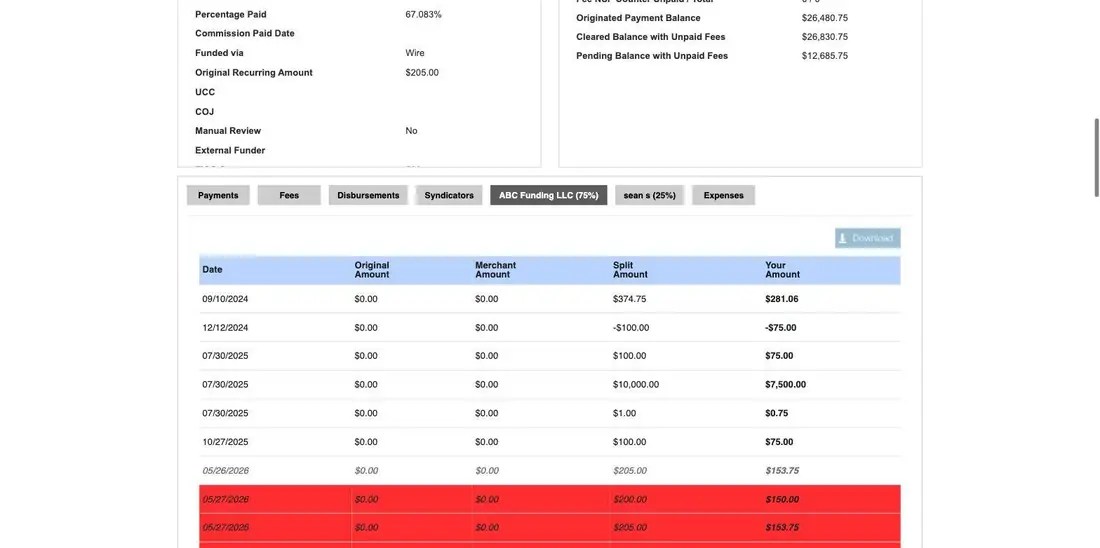
The payment ledger, with date, effective date, original, merchant and payment amounts, note, transaction ID, and per-row Copy, Edit, Update Status and Cancel. Row color is the fastest read on the screen: a red row is a returned transaction, an italic gray row is cancelled.

Fees tab
Origination and NSF fees with date, amount, note, what the fee is for and the date paid. An NSF fee raised automatically names the returned payment that triggered it.

Disbursements tab
Money paid out on the deal, typically the merchant net at funding.

Syndicators tab
Who participates and on what economics: percent syndicated, management fee, residual commission, upfront commission, upfront management fee, amount owed and paid, with Send Invoice per investor.

Per-party tabs
One tab for the funder and one per syndicator, each labeled with its percentage, restating the payment ledger as that party’s share.
Expenses tab
Costs booked against the deal, with the option to reverse the management fee on them.

Contact and Bank panels
Both open inline over the profile, so you never leave the record.


Documents and Notes
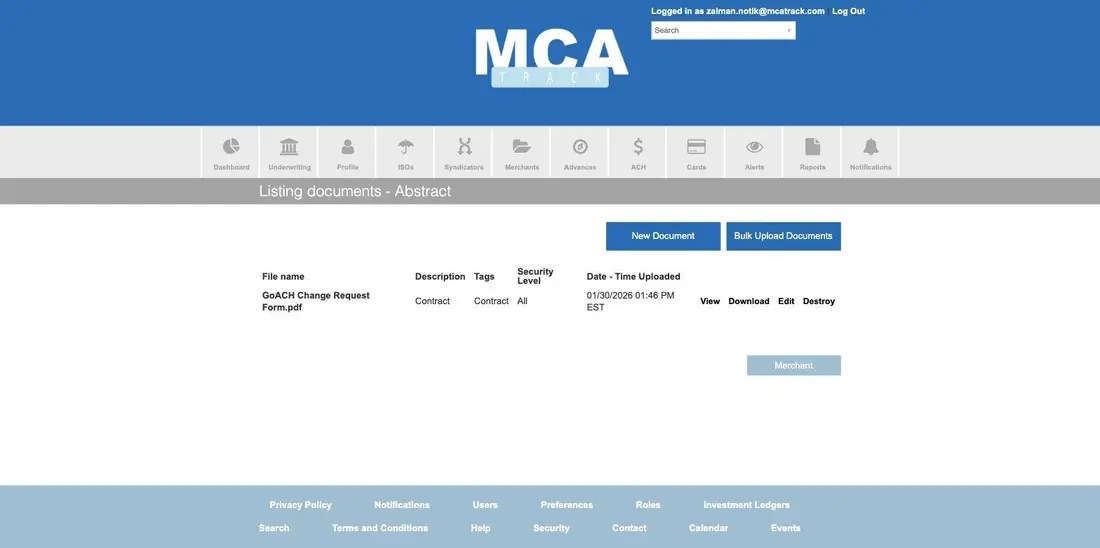
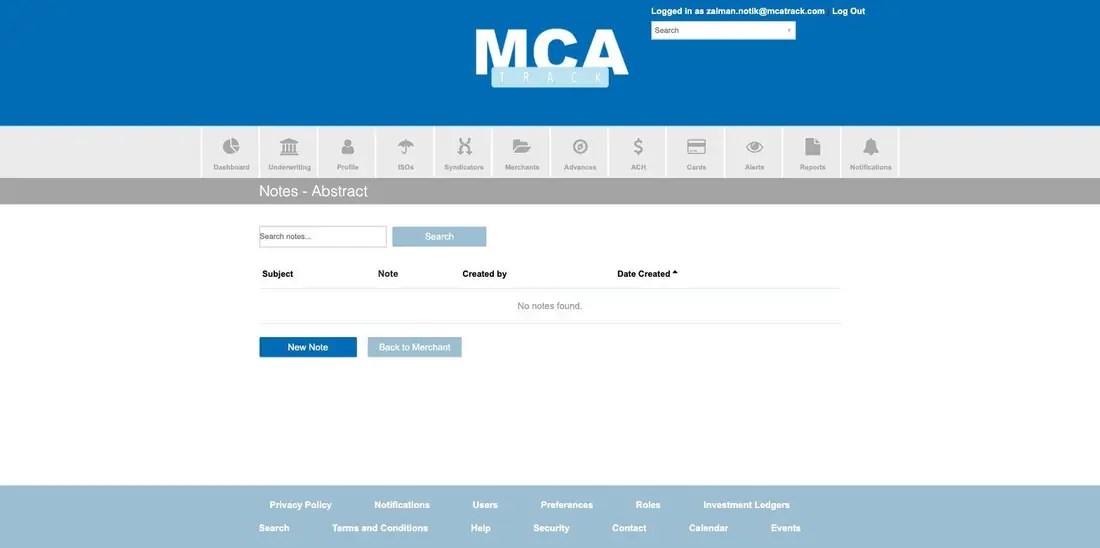
Documents carries file name, description, tags, security level and upload time, with View, Download, Edit and Destroy, plus New Document and Bulk Upload. Security level is what governs whether an ISO, syndicator or merchant login can see a file. Notes are searchable and show subject, note, author and date created.
Creating merchants and posting payments in bulk
New Merchant is a single accordion form that creates the merchant and its first advance together, in eight sections: MIDS, Assignees, DBA Information, Contact Information, Documents, Initial Cash Advance, ACH Information and Fees. Start with the MID step — Next validates it before the rest opens up.


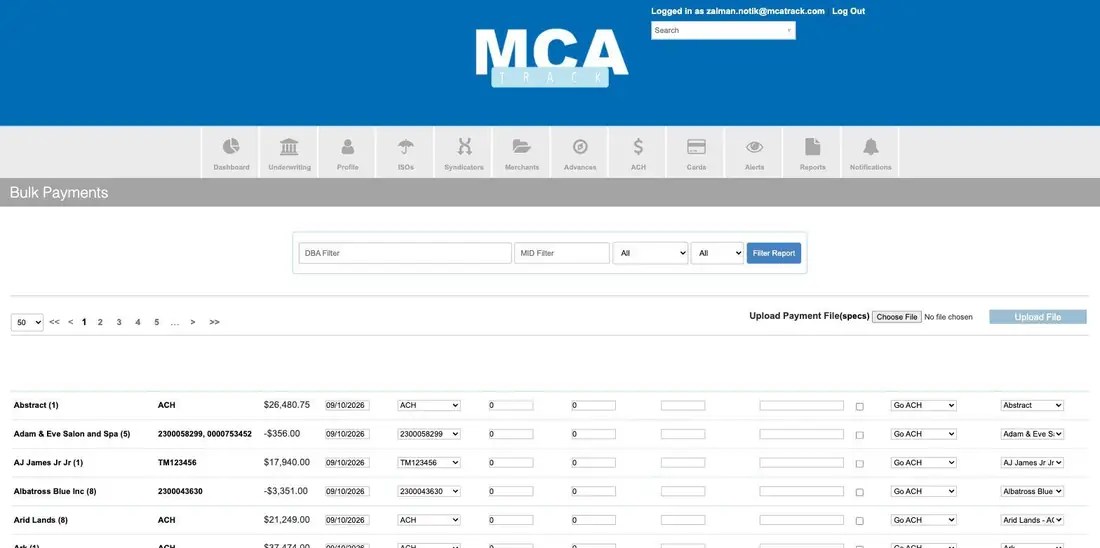
Bulk Payments posts one payment per merchant across the whole book in a single pass, either typed into the grid or uploaded as a payment file.
Concept guides The deal pipeline from lead to funded, underwriting tools, funding a merchant step by step, recording and collecting payments, and documents and security.
Advances Report
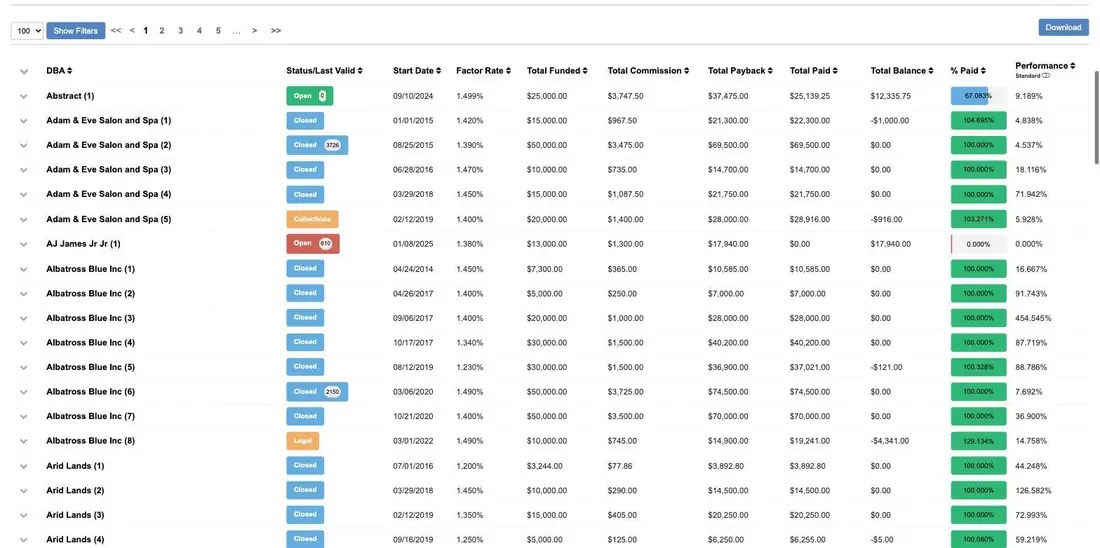
Where the Merchants list answers questions about merchants, the Advances Report answers questions about deals. Every advance appears in one sortable table: DBA, status and last valid payment, start date, factor rate, total funded, total commission, total payback, total paid, total balance, percentage paid and performance.
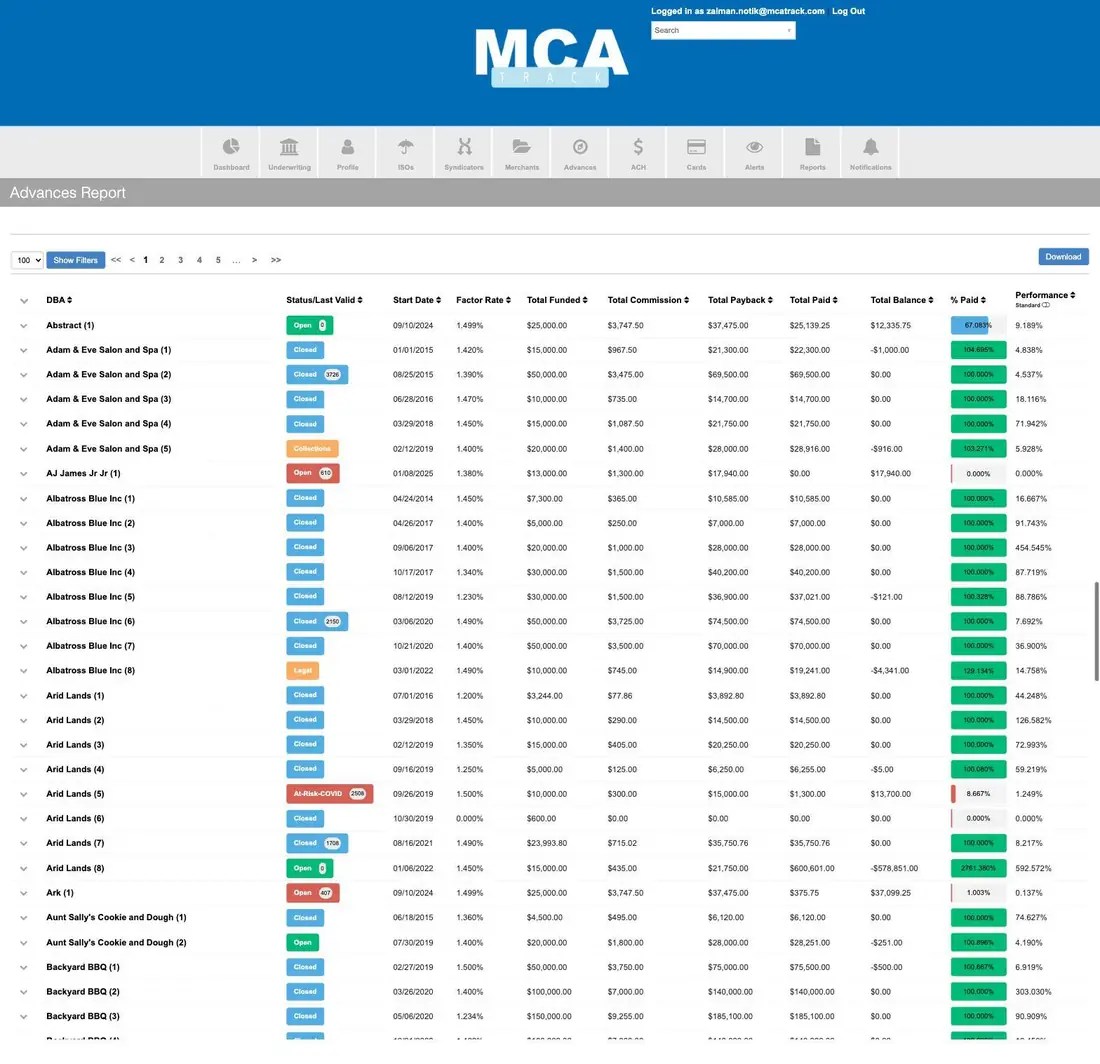
Show Filters reveals nineteen filters — DBA, start, end, status, year, ISO, sales rep, syndicator, underwriter, relationship manager, risk level, factor rate, tags, position, MCC, SIC, FICO score, state and zip code. This is the fastest route to a slice such as open deals from one broker, in one state, above a given factor rate.

Concept guides Cash advances: terms, statuses, renewals and reups and MCA calculations: factor rate, payback and performance.
ACH and cards
ACH Report
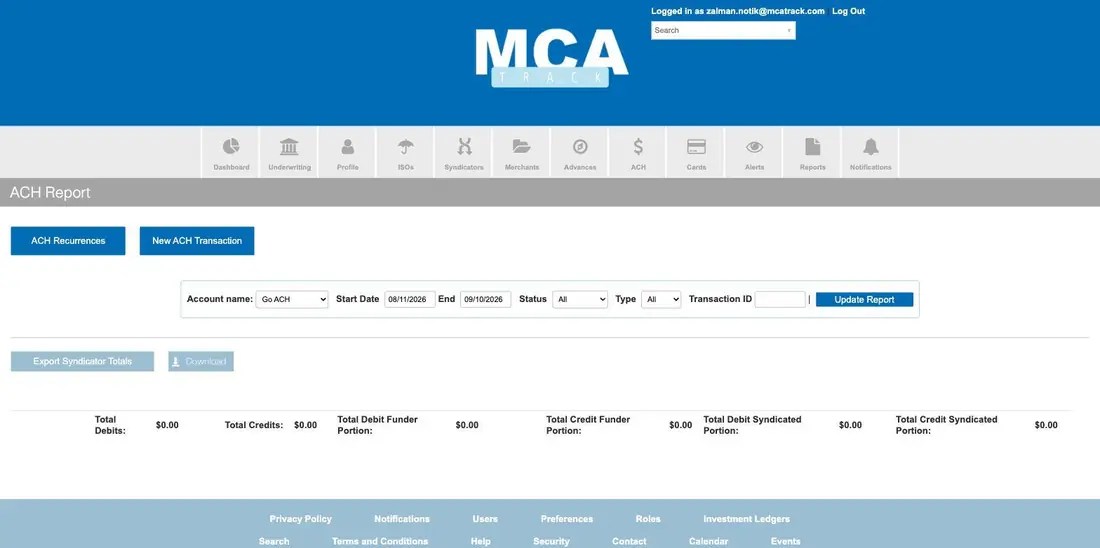
Transactions for one vendor account over a date range, filtered by status, type or transaction ID, with debit and credit totals split between the funder portion and the syndicated portion.
ACH Recurrences
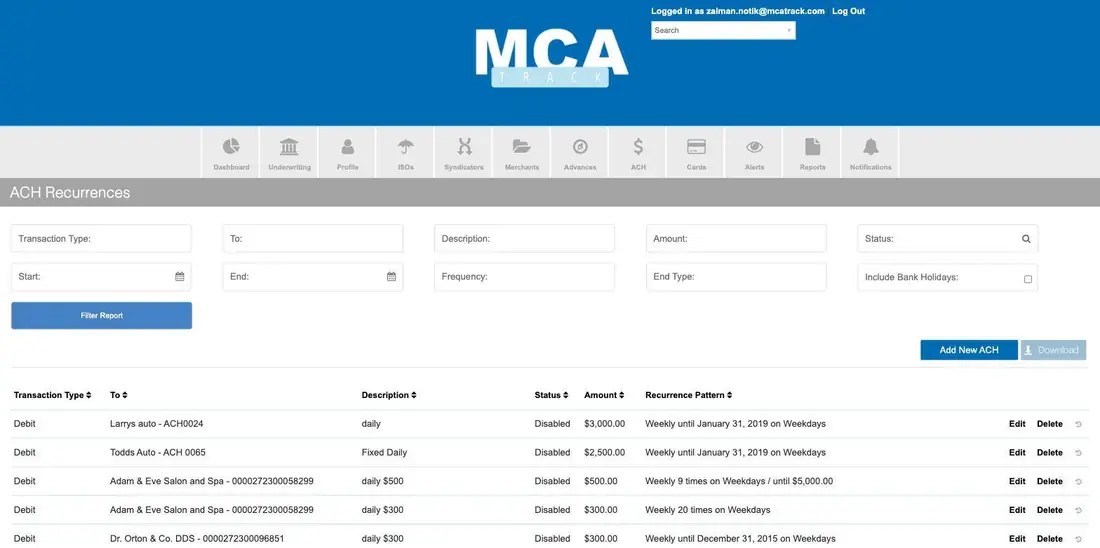
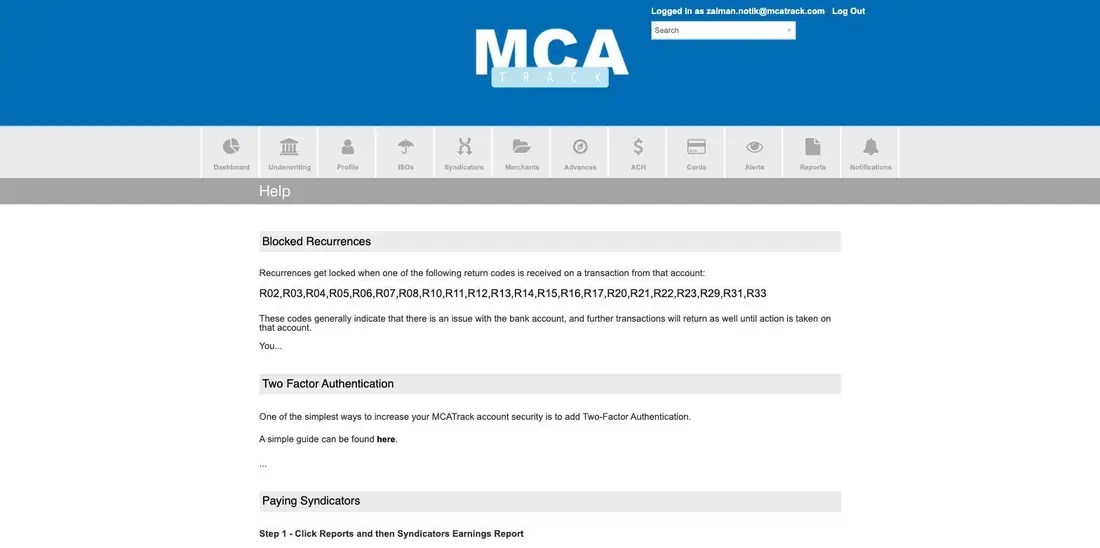
Every standing debit schedule with its transaction type, payee, description, status, amount and recurrence pattern — for example weekly on weekdays until a date, or weekly nine times until a total is reached. Recurrences lock themselves when certain bank return codes come back; the Help page lists them.
New ACH Transaction and Cards
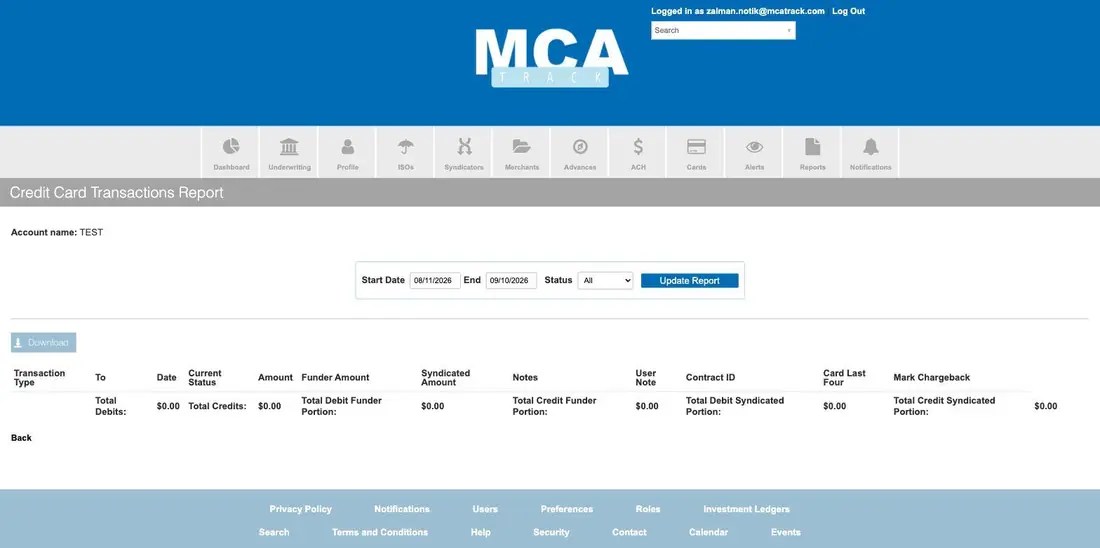
New ACH Transaction originates a single debit or credit through the selected vendor, using a stored bank account or keyed-in routing and account numbers. Cards is the card equivalent of the ACH report, adding card last four and a chargeback marker.

Concept guides ACH processing for merchant cash advances explains returns, return codes and recurring debits; recording and collecting MCA payments covers how those debits post.
Alerts, triggers and notifications
Alert Triggers
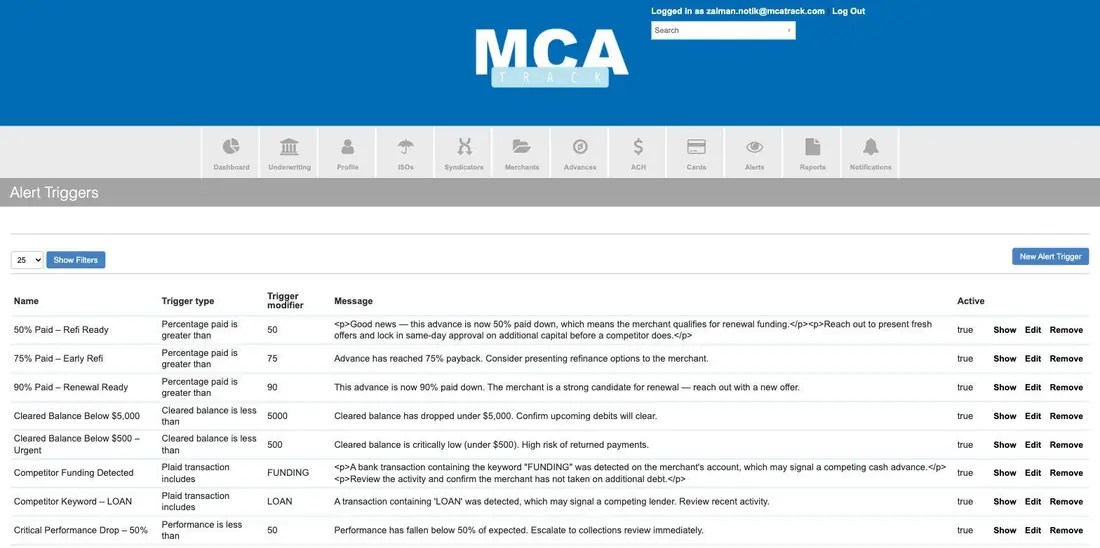
The rule library, and how renewal and risk outreach gets automated. A trigger is a type, a threshold and the message it sends. Types include percentage paid is greater than, cleared balance is less than, performance is less than, and Plaid transaction includes a keyword — the last of which is how a competing advance shows up, by watching for words like FUNDING or LOAN in the merchant’s bank activity.
Alerts
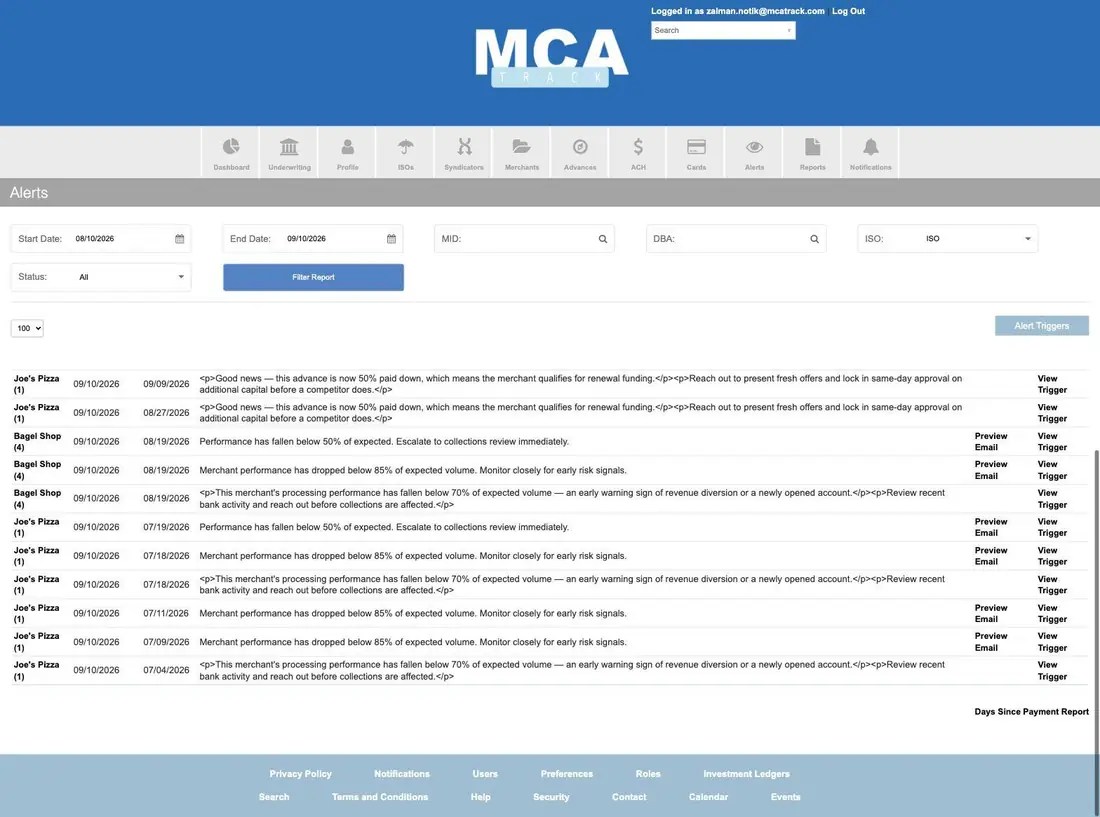
The rules that have actually fired, filtered by date range, MID, DBA, ISO and status, with Preview Email and View Trigger on each row.
Notifications
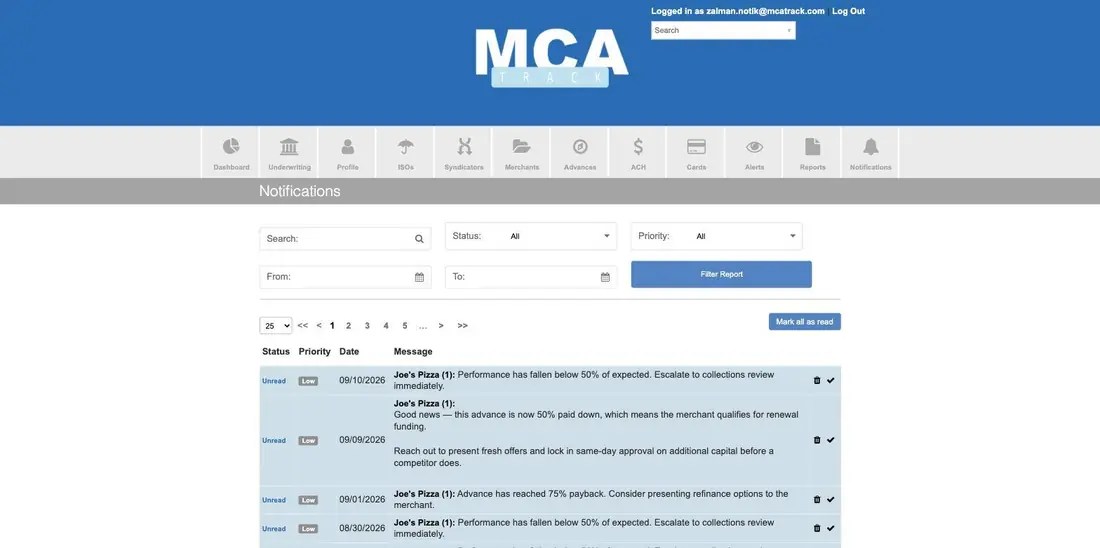
Your personal inbox for that output, filtered by status, priority and date, with mark-read, delete and mark-all-as-read.
Concept guide MCA alerts and notifications explains which portfolio events are worth alerting on and how to tune thresholds.
Reports
The reporting hub has three layers: interactive report tiles, an Advanced Reports table that produces exports, and Custom Reports this account defined itself.
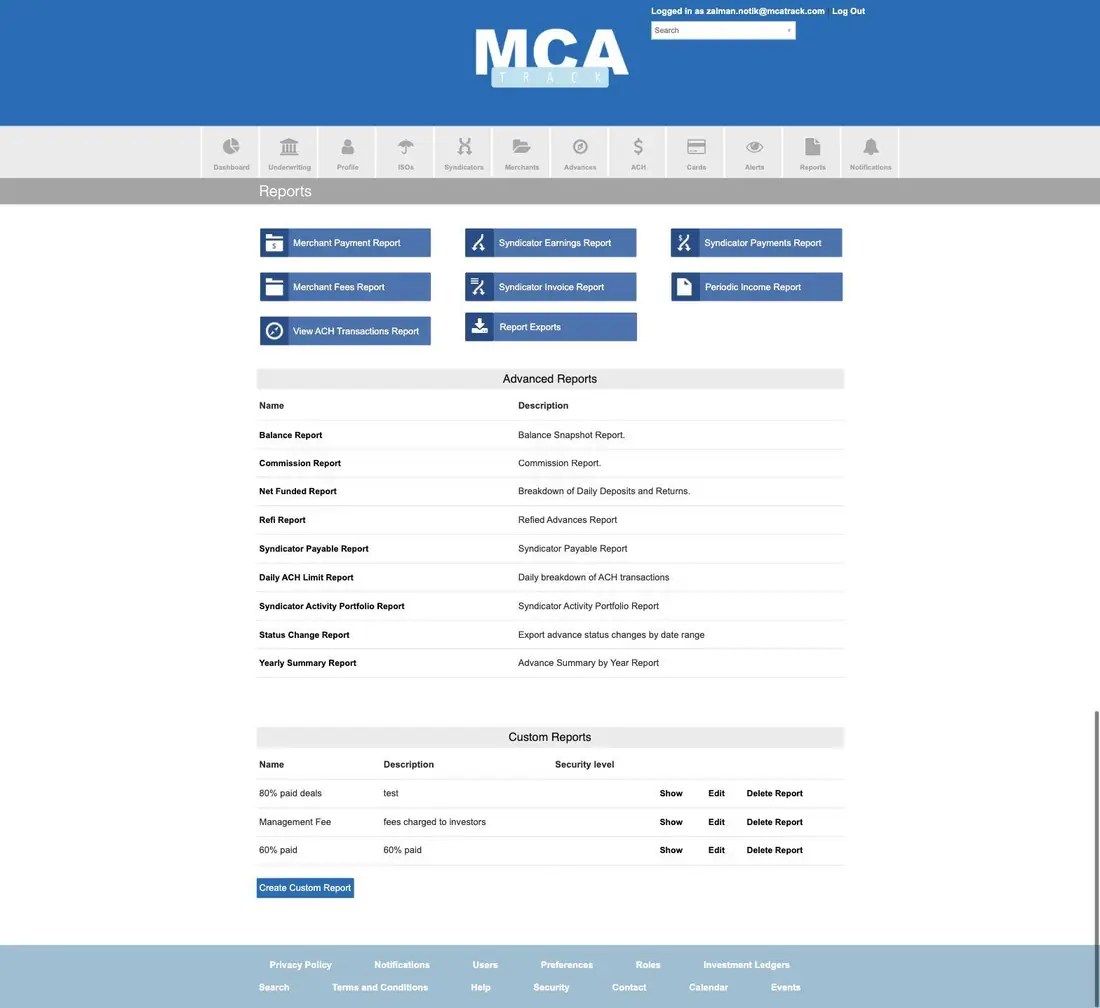
Advanced Reports: Balance Report (balance snapshot), Commission Report, Net Funded Report (daily deposits and returns), Refi Report, Syndicator Payable Report, Daily ACH Limit Report, Syndicator Activity Portfolio Report, Status Change Report (advance status changes by date range) and Yearly Summary Report.

The Syndicator Earnings Report deserves a note of its own: it both reports what each investor earned in the period and pays them, through a Process Syndicator Payments block that totals the payment, picks the account to pay from, and runs it.

Report Exports is the pickup point for anything generated in the background, and exports are deleted automatically after seven days.

Custom Reports are a field-picker builder: name the report, choose a report type such as Cash Advances, move the columns you want from Fields Available to Fields Selected, reorder them, then set a filter and a sort.

Concept guide MCA reporting and exports: every report explained covers what each report is for and when to run it.
Search, calendar and reference pages
Advanced Search
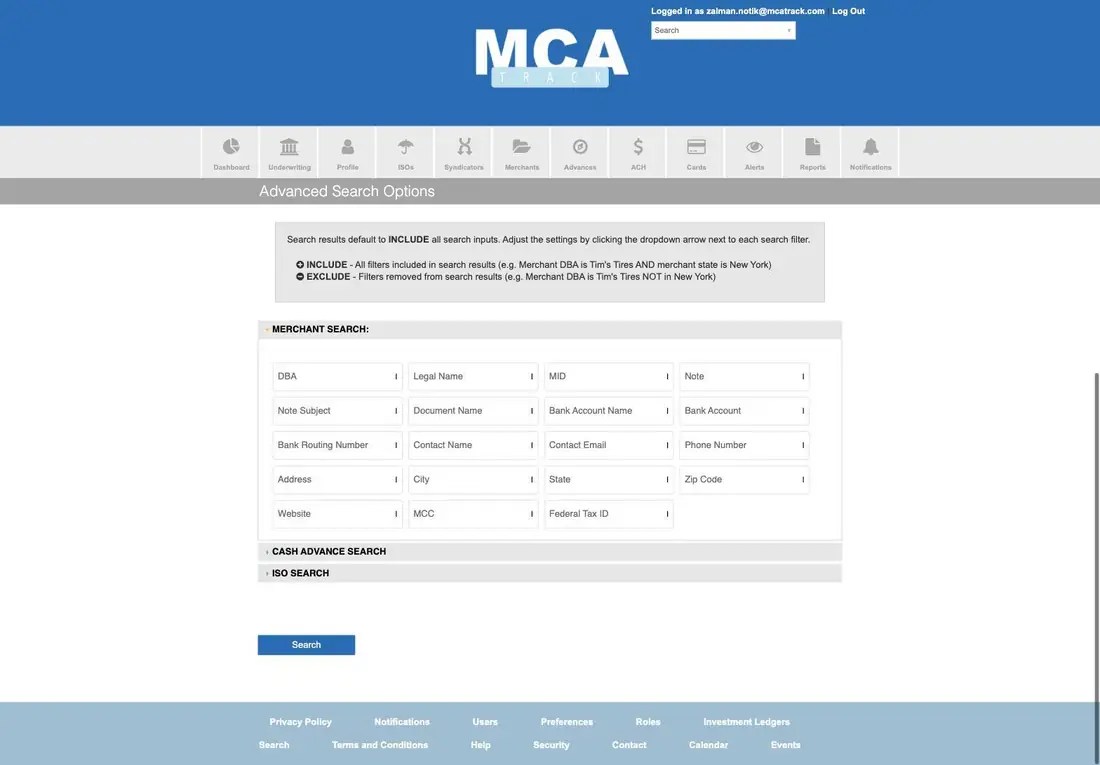
Cross-record search in three collapsible blocks — Merchant Search, Cash Advance Search and ISO Search. Every filter defaults to INCLUDE; a small arrow beside each field flips it to EXCLUDE, which is how you express “this DBA but not in New York”. Merchant fields run from DBA, legal name and MID through notes, documents, bank account and routing number, contact details, address, website, MCC and federal tax ID.
Calendar and Events
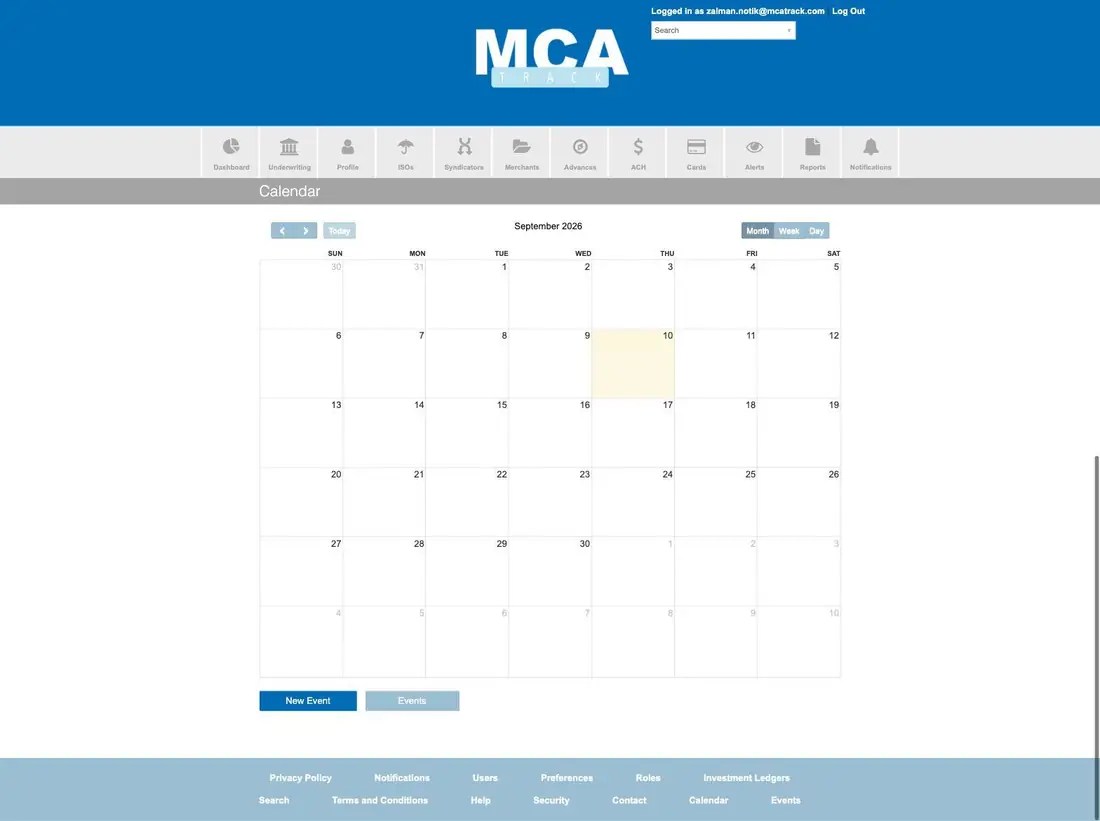
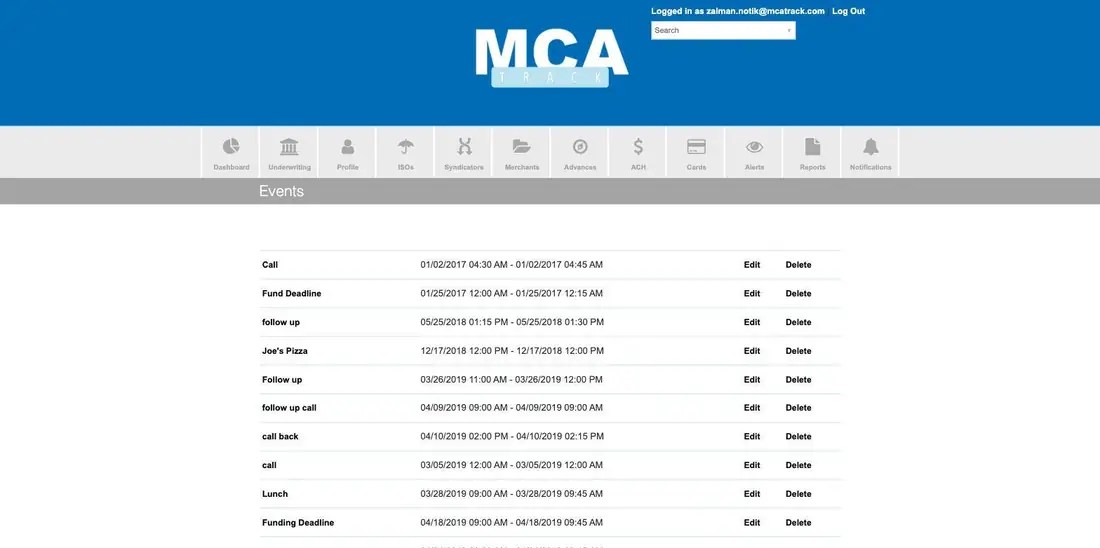
Calendar shows events attached to the account in month, week or day view, with New Event; Events lists the same items flat, which is easier to audit.
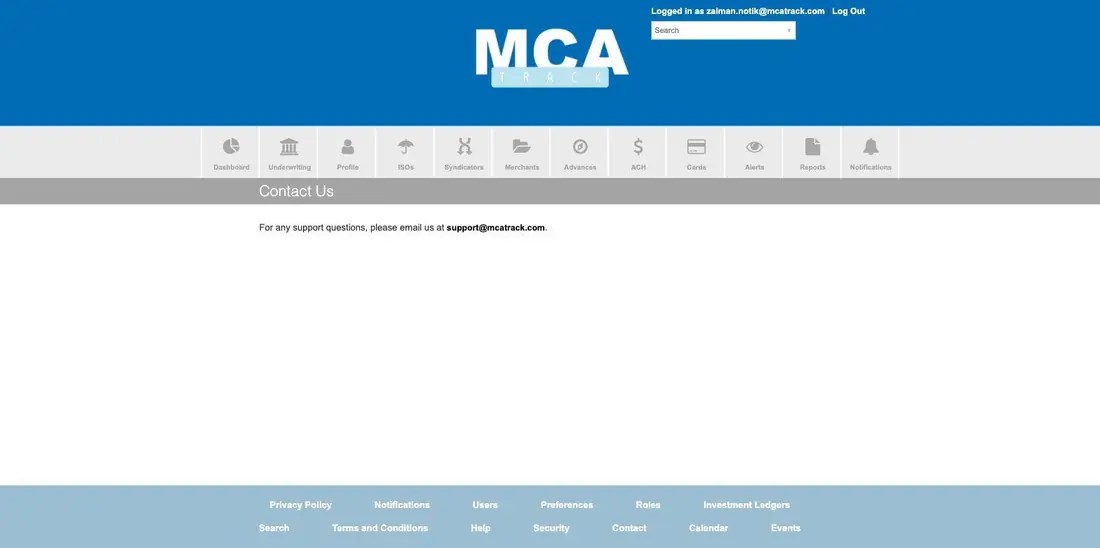
Help, Security, Contact and Privacy
Help carries short in-app articles, including the bank return codes that lock a recurrence, enabling two-factor authentication, and the steps for paying syndicators.
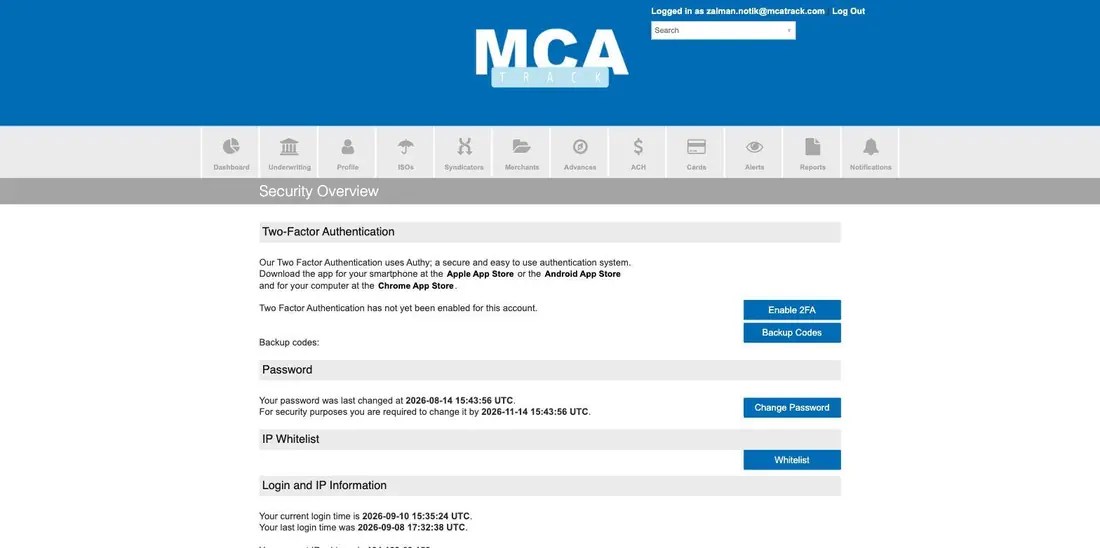
Security covers your own account: two-factor authentication through Authy, password age and the date you must change it by, the IP whitelist, and your current and previous login times and IP.

Concept guide FAQ and troubleshooting answers the access and permission questions behind most “why can’t I see this” moments.
Three things worth knowing early
- Status color is configurable, not fixed. The colors on the merchant and advance pills come from Preferences › Status, so two MCA Track accounts can legitimately look different.
- Almost every money figure has two versions. A total, and your funded percentage of it. Read the column header before you quote a number.
- Underwriting is a mode, not a menu. The Underwriting item in the top strip toggles your user into the underwriting and leads view rather than opening a page.
Concept guides Merchant cash advance glossary defines every term used above, and MCA calculations shows the math behind the figures.
For access, a walkthrough, or help with a specific workflow, email support@mcatrack.com.